For Japan fans and Nintendo followers, this is the kind of small hardware detail that can turn into a real headache. If you're lining up a new console, a TV, and a clean living-room setup, the cable situation is worth checking twice.
![Dragon Ball Z: Kakarot [Master Edition]](https://s.pacn.ws/1/p/1eh/dragon-ball-z-kakarot-master-edition-908785.1.jpg?v=t8ja8t&width=400)
![Startup Company [Console Edition] (Limited Edition)](https://s.pacn.ws/1/p/157/startup-company-console-edition-limited-edition-741799.16.jpg?v=ry4mm8&width=400)
![Startup Company [Console Edition]](https://s.pacn.ws/1/p/157/startup-company-console-edition-741779.10.jpg?v=ry4ngq&width=400)
Nintendo Switch 2 and the HDMI cable question
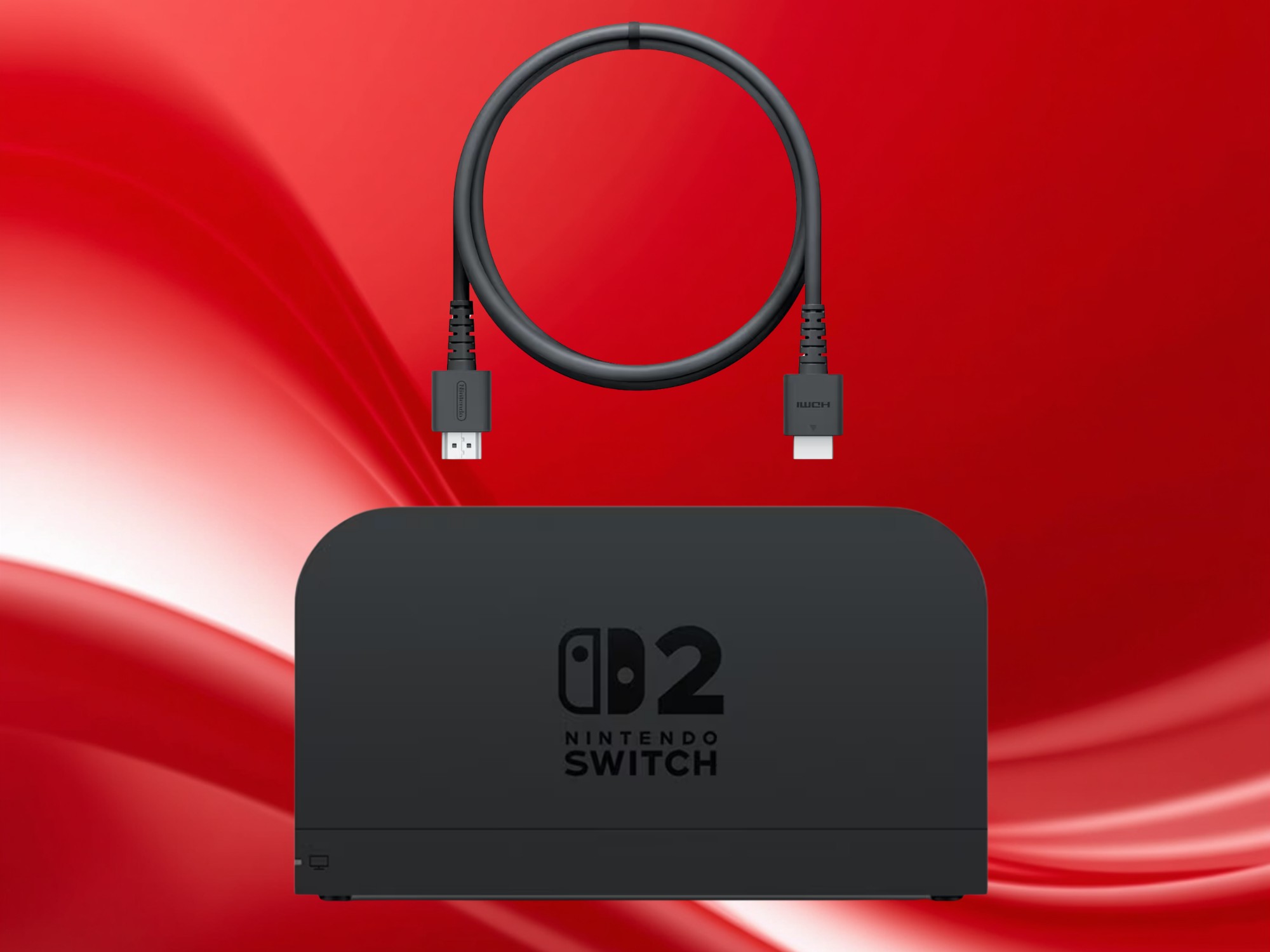
Guess what? The Nintendo Switch 2 launch talk isn’t only about bigger power, a sharper screen, or whether the dock will play nicely with your TV. A surprisingly basic question has taken centre stage: does the dock include an HDMI cable, or will buyers need to use their own?
That sounds minor, but it isn’t. If you open the box, set everything up after work, and discover you’re missing the one cable that actually connects the console to your TV, that’s a very real annoyance. For Japanese consumers, packaging details like this matter a lot, because the unboxing experience is part of the fun.
It's early morning in Kyoto. You’re making tea, the box is on the table, and the last thing you want is a hardware surprise. That’s why this Nintendo support issue has got attention so quickly. But that's not all.
What the Nintendo support response actually changed
No joke: the confusion started when Nintendo support reportedly gave an answer that left buyers unsure about the contents of the Switch 2 dock bundle. According to the discussion reported by Notebookcheck, the support statement suggested that some customers might not get the HDMI cable they expected, at least not in the way they had assumed.
Basically, people read that as a warning that the console could arrive without the necessary TV cable, even though the dock itself is still part of the standard Switch experience. That is enough to trigger uncertainty, especially for buyers who are used to plug-and-play convenience. Let’s be honest: nobody wants to troubleshoot a brand-new system before they’ve even reached the home screen.
Why this matters more than it seems
On a related note, the original Switch, launched in 2017, built its reputation on a simple promise: dock it, connect it, play. The HDMI cable is the invisible part of that promise. If Nintendo changes the contents, or if support wording makes it seem that way, fans immediately start planning around extra purchases.
For Japanese learning fans, this is a nice real-world vocabulary moment too. Words like ドック (dokku, dock), ケーブル (ke-buru, cable), and セット (setto) are the kind of terms you’ll hear constantly when reading hardware pages or watching unboxings in Japanese. If you follow Nintendo news in Japan, you’ll see how often simple setup language matters more than flashy specs.
My tip: always check the exact box contents on the official product page before launch day. Even a small accessory can affect whether your first evening with the console feels smooth or messy. Wild, isn't it? But that's not all.
HDMI cable for the dock: what buyers should check before launch
Quick detour: there’s a practical reason this story spread fast. HDMI cables are cheap enough to ignore, but not every cable performs the same way, and some households already have older ones lying around from other devices. If the Switch 2 is aiming for better image output, buyers will want the right cable from the start.
That brings us to the bigger point, which is setup clarity. Nintendo fans are the kind of people who remember packaging details years later, especially in Japan where limited editions, tidy product design, and accurate listings all feed into the buying decision. A missing accessory, or even the idea of one, can become a much bigger story than Nintendo probably wanted.
What to do if you’re buying day one
Seriously though: if you’re planning to buy the Switch 2 at launch, keep an eye on three things, the official box contents, the dock bundle details, and the HDMI version you already own. If your current cable is old, frayed, or too short, it may be worth picking up a fresh one anyway.
From my experience, console launches are always smoother when you prepare the boring stuff in advance. You don’t need to chase every rumor, but you should know whether the TV cable is included, because that determines whether your first setup is a five-minute job or an extra shopping trip.
What I especially like is how this tiny issue reminds us that hardware news isn’t only about teraflops and frame rates. Sometimes it’s about one cable, one support answer, and one evening saved. For Japan fans, that’s the kind of practical detail that makes Nintendo coverage worth following.
Frequently Asked Questions
Does the Nintendo Switch 2 come with an HDMI cable?
The recent support confusion means buyers should check the official product listing before purchasing, since the situation has not been clearly understood by everyone.
Why is the HDMI cable such a big deal?
Because it is the cable that connects the dock to a TV, and without it, setup cannot be completed as expected.
What should buyers do before launch?
Check the official box contents, confirm what is included with the dock, and make sure you already have a compatible cable if needed.