NIHONGO e na Portal: kana games and smartphone-friendly tools
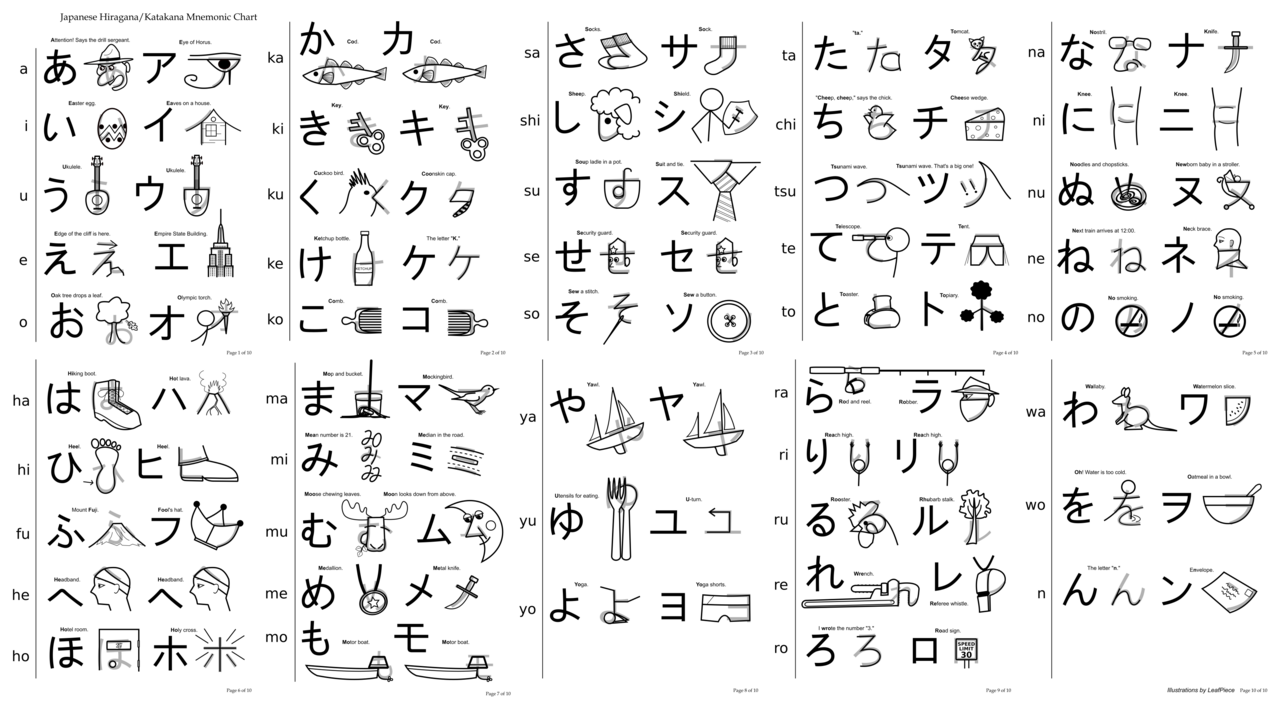
Imagine a narrow alley in Tokyo, full of tiny shops each selling a different way to learn 仮名 (kana, kana syllabary). That's how the 日本語 (NIHONGO, Japanese language) e na Portal feels when you browse its tags. On a related note, the portal collects browser-based activities and small apps that work well on mobile Safari and Chrome, so you often don't need to install anything from the App Store or Google Play; you just tap and play. Basically, the site groups content by tags like Kana and Smartphone Game, so you can jump straight to 平仮名 (hiragana, hiragana syllabary) and 片仮名 (katakana, katakana syllabary) practice or to simple 漢字 (Kanji, Chinese characters used in Japanese) quizzes.
What most people don't know is that many of the mini-games are built as HTML5 pages, so they run on Android phones and iPhones from 2015 onward without heavy resource use. No wonder, because that keeps learning lightweight and fast. See what I mean?
How the smartphone kana and kanji apps work
Question: how do these tiny apps actually help you remember characters? Unlike what we're used to with big classroom drills, the portal's games focus on repetition through play, timed recall, and matching tasks that train recognition more than rote copying. That brings us to two practical formats you'll meet on the site.
Kana games: quick recognition and speed drills
It's early morning in Kyoto, and a 3-minute kana drill fits into a commute, just like the portal's short games do. On the portal, you'll find matching games and flash-style quizzes for hiragana and katakana, many with immediate feedback and sound. Quick detour: combine these short sessions with audio from NHK World Japan if you want authentic pronunciation input while you practice.
Kanji mini-quizzes: recognition and radicals
Compared to back home, where kanji lessons can be long, the portal's kanji mini-quizzes break kanji into small chunks, often focusing on common readings, stroke order links, and mnemonic hints. On the flip side, these mini-quizzes won't replace a structured SRS course, but they're excellent for mixed review and cultural context that ties characters to everyday vocabulary like sushi and ryokan. But that's not all.
Dictionary and culture tools to pair with the app
Fact: a learning app gets far better when you pair it with a reliable dictionary and cultural resources. My tip is to use Jisho.org for fast lookups, and try WaniKani if you want a paid SRS path for kanji and vocabulary. What I especially like is that WaniKani's focus on radicals and mnemonics blends nicely with the portal's short recognition games.
On a related note, cultural tools such as articles, NHK World videos, and travel blogs give context to words you learn on the portal. For culture reading and listening, check NHK World Japan for understandable news clips and features. Wait, there's more.
How to use NIHONGO e na and companion tools as a learner
Direct address: if you study Japanese for 15 to 30 minutes a day, slot one 5-minute kana game from the portal into that routine and use the rest of the session for an SRS review system. Basically, consistency matters more than intensity, so short mobile sessions beat long random ones. My tip is to start with kana until you can read simple menus, then add kanji mini-quizzes and a dictionary lookup habit.
What I especially like is that the portal's mix of games and real-world context makes it easy to switch between practice modes, which helps retention. On the flip side, don't expect a full beginner course on NIHONGO e na; it's designed to complement apps like WaniKani, Takoboto, or downloadable lessons on iOS and Android. See what I mean?
Highly recommended: combine three elements each week: one short kana game, one kanji quiz, and one cultural article or video. That trio hits recognition, production, and context, keeping study sessions interesting.
more Japan news on jpnerd.comFrequently Asked Questions
Is NIHONGO e na a free site?
Short answer: yes, much of the content is free and browser-based, though you may find paid services linked from the portal.
Do I need an iPhone or Android to use the games?
Short answer: no special device needed; most games run in mobile browsers like Safari and Chrome on modern phones.